# Tracking Configuration
### Metodo di tracciamento donazioni
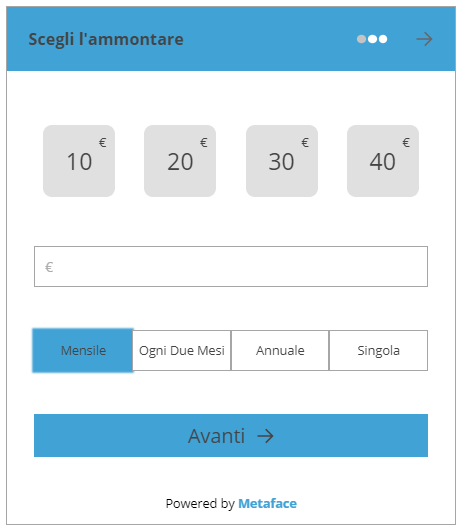
Per il widget di Metaface è stato scelto il metodo di **tracciamento conversioni tramite eventi** di Google Analytics. Questo metodo permette di non dover fare praticamente nessuna configurazione aggiuntiva ne in Metaface ne in Google Analytics per lo startup di un nuovo progetto.
Per chi non avesse familiarità con gli eventi di Google Analytics ecco due link utili:
- Informazioni sugli eventi: [https://support.google.com/analytics/answer/1033068](https://support.google.com/analytics/answer/1033068) (ITA)
- Dettagli sugli eventi GA: [https://developers.google.com/analytics/devguides/collection/gtagjs/events](https://developers.google.com/analytics/devguides/collection/gtagjs/events) (ENG)
Gli eventi vengono scatenati direttamente dal widget di Metaface sfruttando il codice di tracciamento analytics già presente sul sito dell'organizzazione dove il widget viene inserito.
[](https://docs.metadonors.it/uploads/images/gallery/2026-04/manuale-metaface-tracking-configuration-01.png)
### GA Events Tracking Default
Gli **eventi di Google Analytics** sono formati dai seguenti valori (che vengono poi visualizzati nei rapporti):
- Categoria
- Azione
- Etichetta (facoltativa, ma consigliata)
- Valore (facoltativo)
Metaface imposta per ogni widget alcuni default, eccoli di seguito:
Pulsante **Dona Ora** (nome evento *add\_donation*)
- Categoria: “metaface”
- Azione: “donate”
- Etichetta: \[*nome widget*\]
- Valore: \[*importo annualizzato donazione*\]
Pulsante **Avanti** su “dati personali” (nome evento *signup*)
- Categoria: “metaface”
- Azione: “donor data”
- Etichetta: \[*nome widget*\]
- Valore: -
Pulsante **Avanti** su “ammontare” (nome evento *begin\_checkout*)
- Categoria: “metaface”
- Azione: “donation data”
- Etichetta: \[*nome widget*\]
- Valore: \[*importo annualizzato donazione*\]
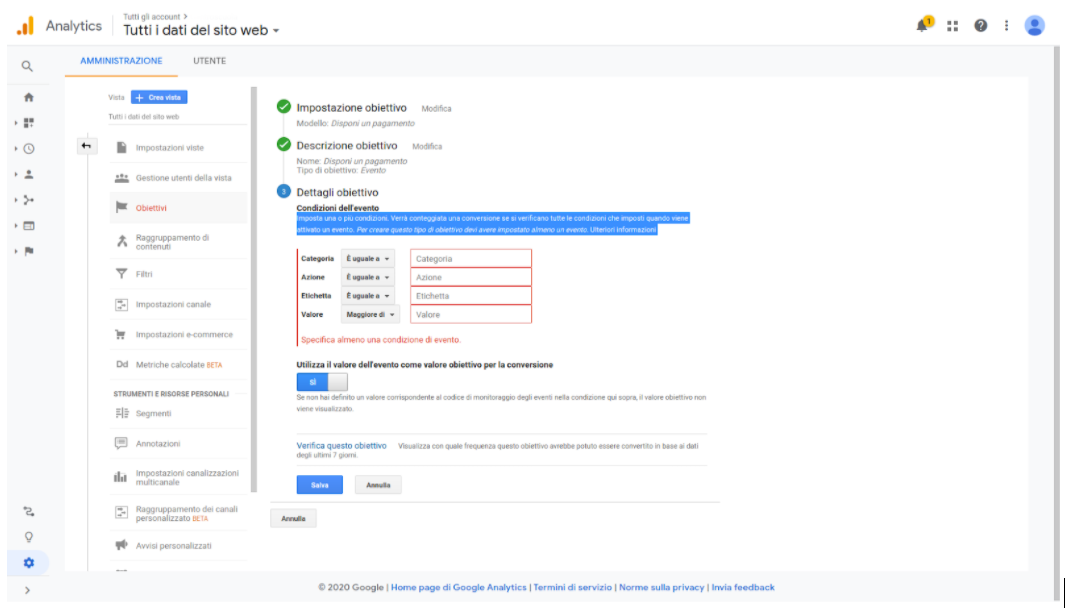
In ogni account di Google Analytics è possibile definire come conversione un qualsiasi evento, andando ad impostarlo in VISTA - OBIETTIVI
Da qui è possibile definire un evento come una conversione da registrare, in base ai parametri impostati nell’evento stesso.
[](https://docs.metadonors.it/uploads/images/gallery/2026-02/tracking-configuration-2.png)
### Custom Tracking Values
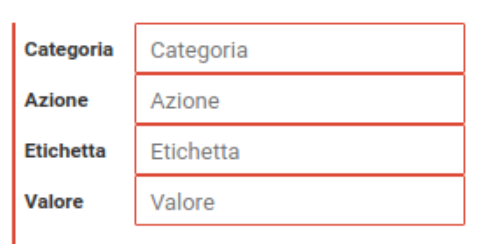
Per ogni widget sarà comunque sempre possibile personalizzare i valori dei parametri per ognuno degli eventi scatenati. Questo permette di far si che il widget si integri a livello di nomenclatura con eventuali eventi e campagne già in corso e già in tracciamento dall’organizzazione.
La schermata di personalizzazione valori evento è disponibile tra le impostazioni avanzate di ogni widget **dopo la sua creazione.**
**[](https://docs.metadonors.it/uploads/images/gallery/2026-02/tracking-configuration-3.png)**
**Lasciando i campi vuoti saranno inseriti i valori di default. La compilazione di un qualsiasi campo attiverà la sovrascrittura dei valori per il campo compilato.**